







0 Aufzeichnungen)
common-we-found-results-matching "0" in 0 ms
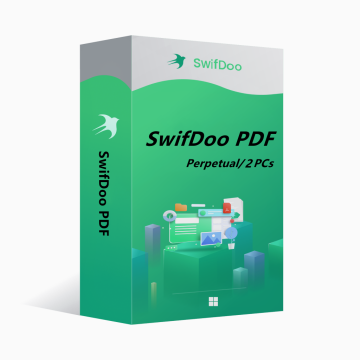
SwifDoo PDF Perpetual Plan 2PCs Perpetual CD Key Global
-14%
Neu Heiß

SwifDoo PDF Perpetual Plan 2PCs Perpetual CD Key Global

SwifDoo PDF is an all-in-one PDF editor. The program actually contains a lot of other PDF tools. Along with the editor feature, there are a variety of options to convert PDFs into more editable formats such as Word and PowerPoint files, and you can save space by combining individual PDF documents into one file.
Zeige den gesamten Inhalt
136.49EUR 159.00EUR
Plattform:
PC
Region:
Global
Stichworte:
Antivirus & Security
Lager:
Auf Lager
1-500
Wie aktiviere ich?

Sie können auch mögen

Mehr

SwifDoo PDF is an all-in-one PDF editor. The program actually contains a lot of other PDF tools. Along with the editor feature, there are a variety of options to convert PDFs into more editable formats such as Word and PowerPoint files, and you can save space by combining individual PDF documents into one file.

Key features of SwifDoo PDF include:

View and edit PDF documents.

Compress PDF documents.

Convert PDF files to other formats.

Split and merge multiple PDF files.

Sign and password protect PDF documents.

Add/Remove watermarks to PDF documents.

OCR


OS: Win 11, 10, 8, 7, and XP (32 & 64)

License Type: 1 license for 2 PCs


The activation code is the "Perpetual" license, which supports 2 PCs with no version upgrade protection. In such case, you need not to pay additional fee to upgrade the current version to each later version in the span of a lifetime.

To install SwifDoo PDF:

Run the setup program -> Accept License Agreement -> Select destination location -> Follow the installation guide -> Finish


Online Registration

After acquiring a SwifDoo PDF license key, visit and login the user center at https://www.swifdoo.com/usercenter and a Redeem-Code window pops up. At this time, you need to copy the activation code you received and paste it into the Redeem-Code box, then press Submit. By doing these, you have finished online registration.


Notes

For a successful registration, please make sure no blank is left in any location of the activation code.

Wie lange dauert es, bis ich den Schlüssel nach dem Kauf erhalte? Wo finde ich ihn?
Der Schlüssel wird automatisch innerhalb von 3-5 Minuten zugesendet. Sie finden ihn unter „Meine gekauften Bestellungen“.
Was tun, wenn sich mein Schlüssel nicht aktivieren lässt?
Es gibt verschiedene Gründe für eine fehlgeschlagene Aktivierung. Der häufigste Grund ist eine Inkompatibilität zwischen Ihrem System und dem erworbenen Schlüssel. Überprüfen Sie zunächst, ob Ihre Systemversion (z. B. Windows Pro) den Anforderungen entspricht. Sollte das Problem weiterhin bestehen, wenden Sie sich an unseren 24/7-Kundenservice. Wir ersetzen den Schlüssel umgehend für Sie.
Wie beantrage ich eine Rückerstattung oder einen Umtausch?
Für eine Rückerstattung oder einen Umtausch kontaktieren Sie bitte unseren 24/7-Kundenservice und geben Sie folgende Daten an: • Ihre Bestellnummer • Relevante Screenshots (z. B. Aktivierungsfehler, Kaufdetails etc.) Wir bearbeiten Ihre Anfrage so schnell wie möglich.
Wie lange dauert eine Rückerstattung?
Rückerstattungen bei PayPal-Zahlungen erfolgen in der Regel sofort. Bei Bank- oder Kreditkartenzahlungen benötigt die Gutschrift je nach Bankbearbeitung und lokalen Richtlinien etwa 7-10 Werktage. Bei Fragen zum Status Ihrer Rückerstattung können Sie jederzeit unseren Support kontaktieren.
Zu Rückgaben und Umtäuschen
Aktivieren Sie Ihre Lizenz bitte innerhalb von 180 Tagen nach dem Kauf. Innerhalb dieses Zeitrau bieten wir einen kostenlosen Ersatz des Schlüssels bei Problemen an.